Run every flight, pilot and booking from one place.
Fleetrust keeps your air tour operation organized, so you spend less time on spreadsheets and more time flying.
01
What is Fleetrust
Fleetrust is the way to start digitalizing your bookings, aircrafts, pilots and passengers together from your device.
01
Set up your fleet
Add your services, aircraft and pilots once. Choose when you are open.
02
Take bookings
Pick a service, passengers, aircraft, pilot and time. Fleetrust warns you about any clash.
03
Fly
Your day on one screen: who flies, in which aircraft, with which pilot.
- No double bookings
- Fleetrust checks aircraft, pilot and time before it confirms a flight.
- One shared schedule
- Your whole team sees the same calendar, at the desk or in the hangar.
- Digital pass for every guest
- Passengers get a boarding pass with a QR code for a fast check-in.
- Decisions with real information
- See what is booked, what is free and what your fleet is doing.
02
Platform
Everything your operation needs, from the first booking to the boarding gate. Each tool is made to be learned in minutes.
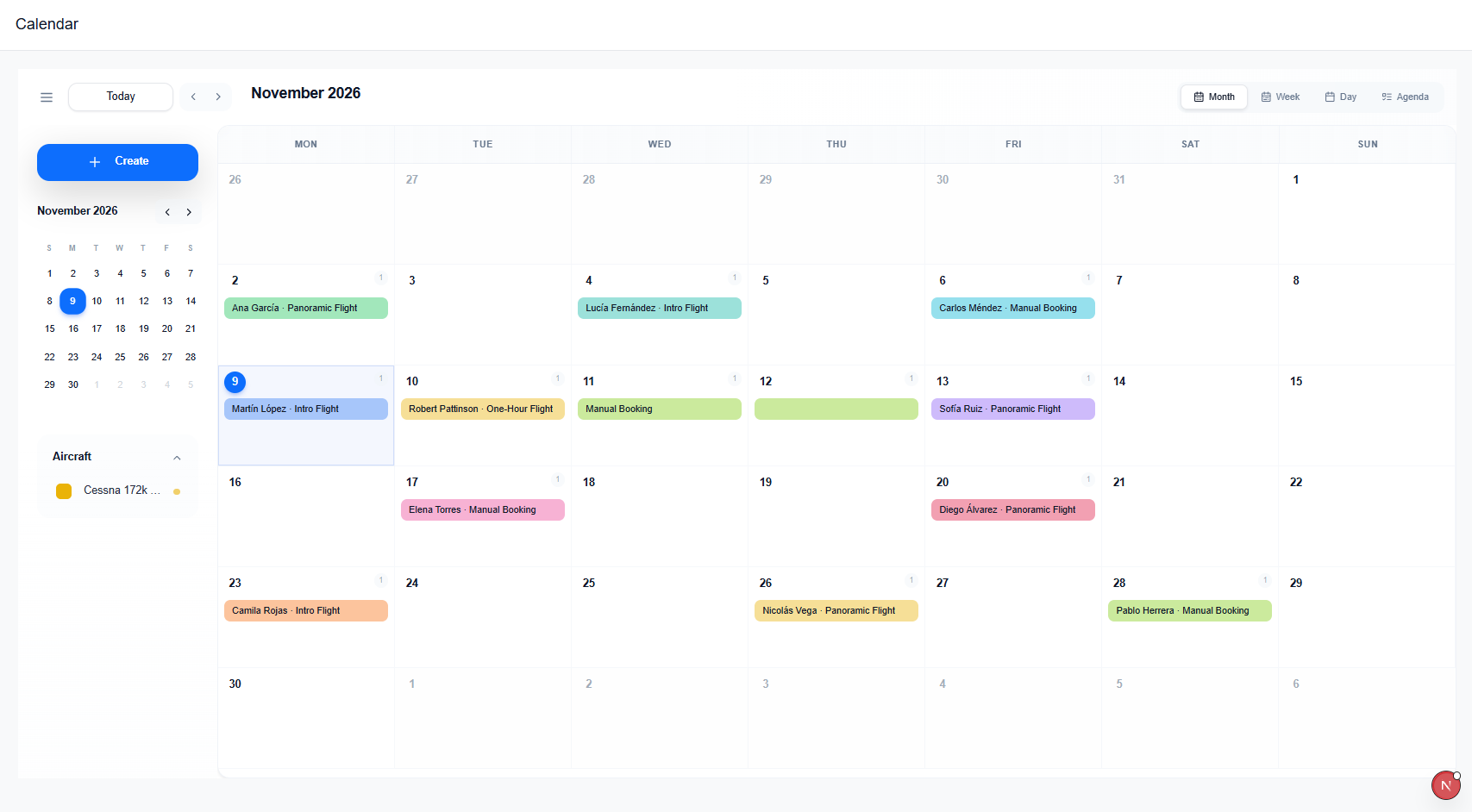
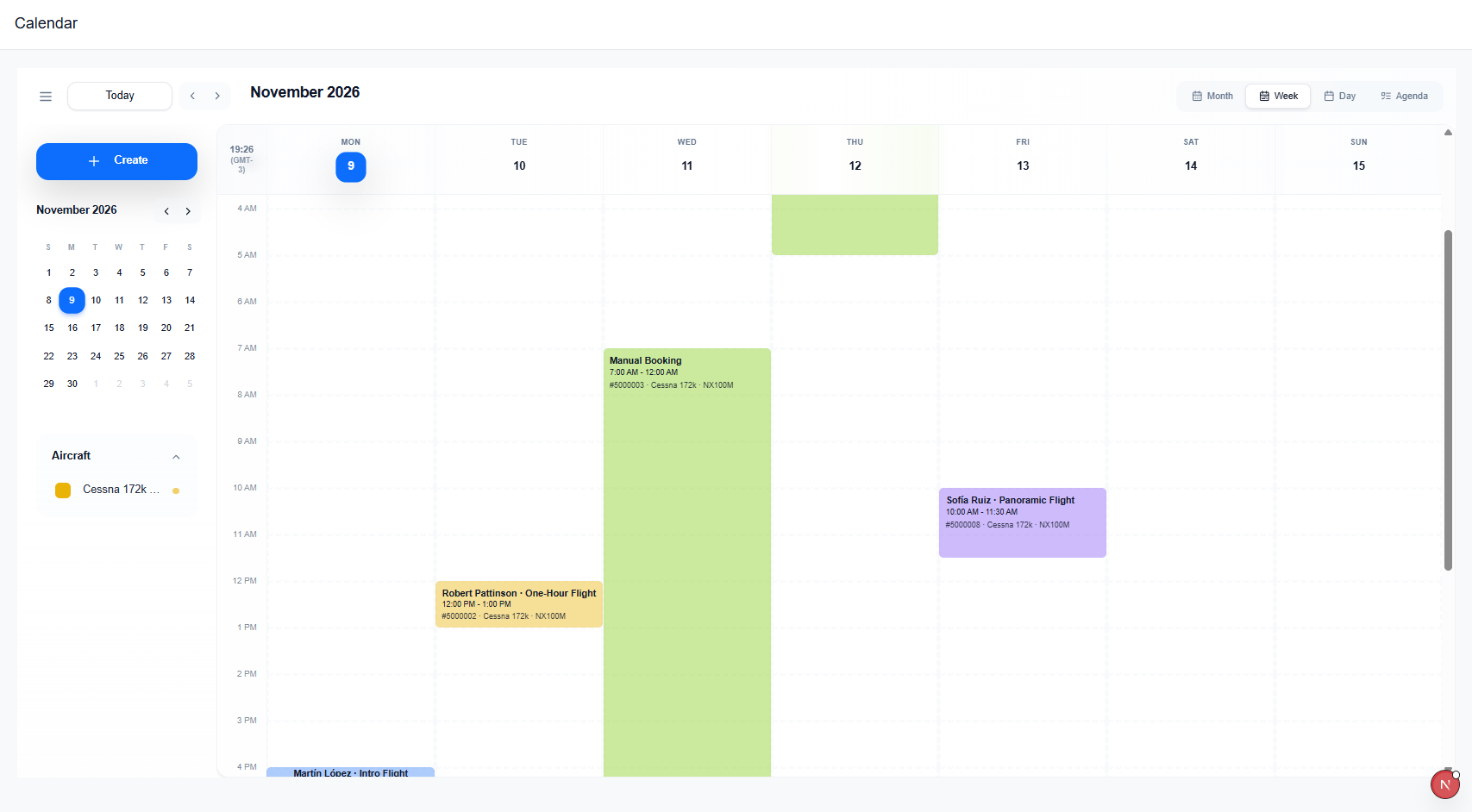
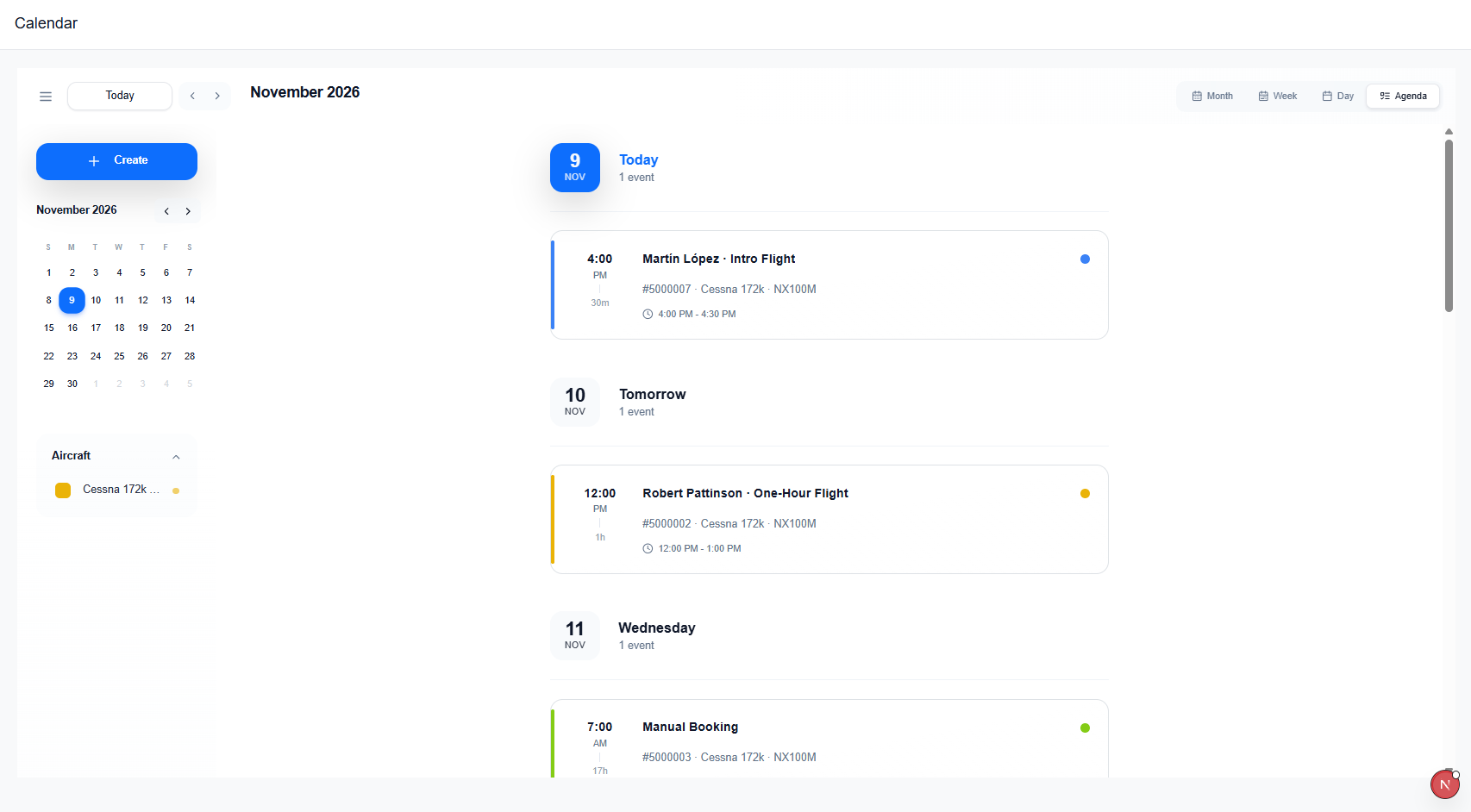
Calendar
See every flight in month, week, day or agenda view. Each aircraft has its own color, so the day reads at a glance.
Bookings list
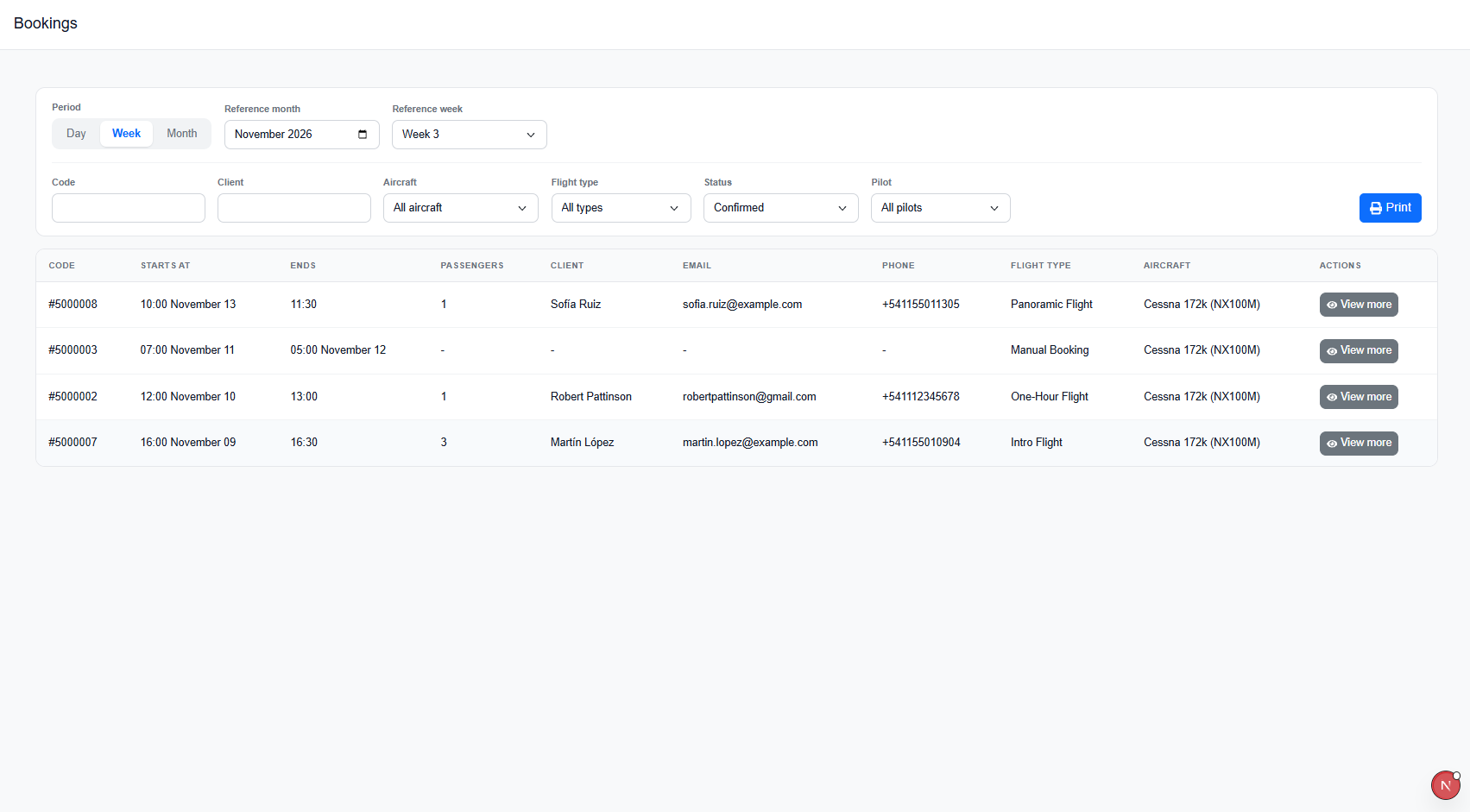
Find any booking by code, client, aircraft, flight type, status or pilot. Filter by day, week or month, and print the list.
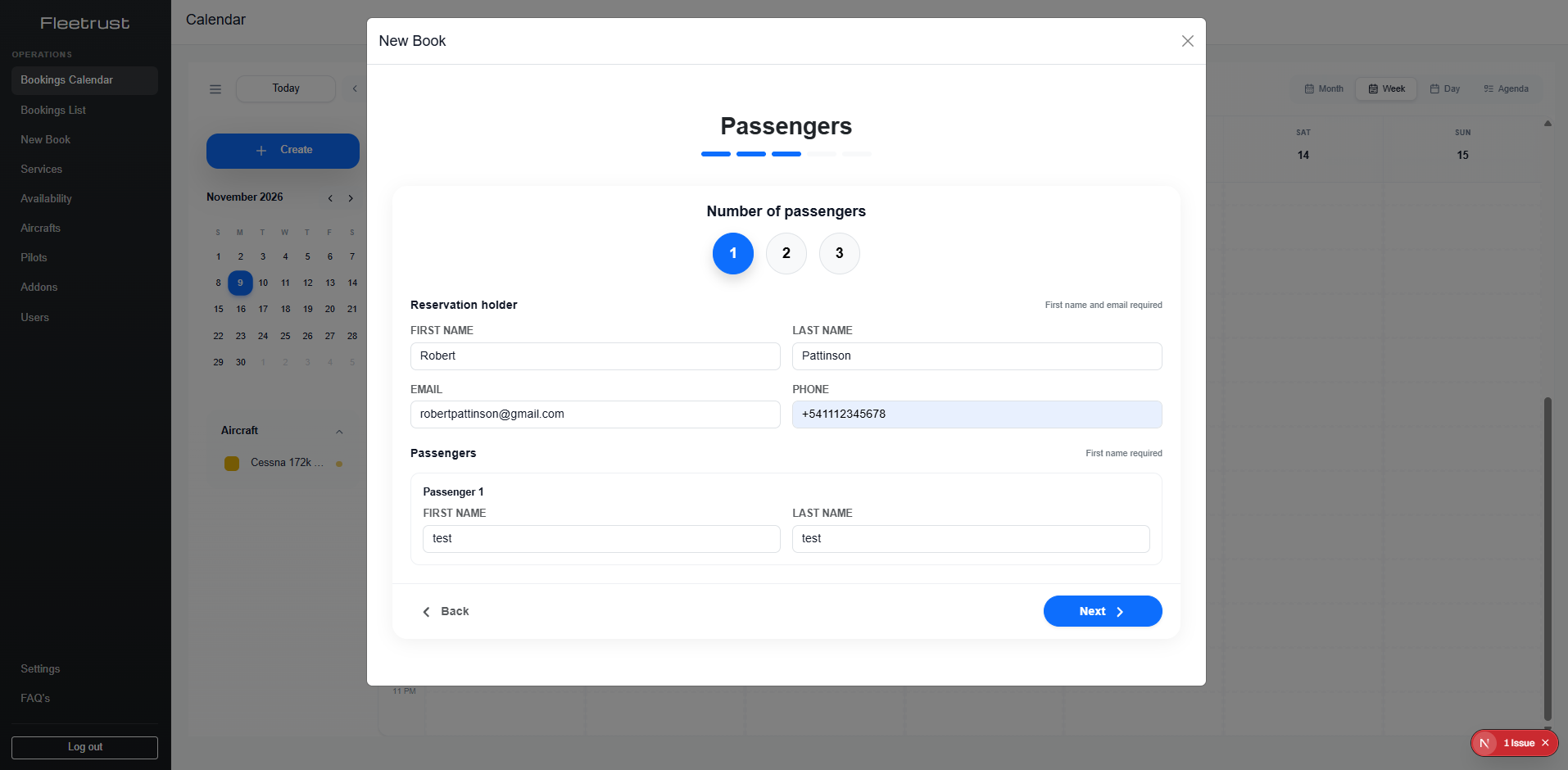
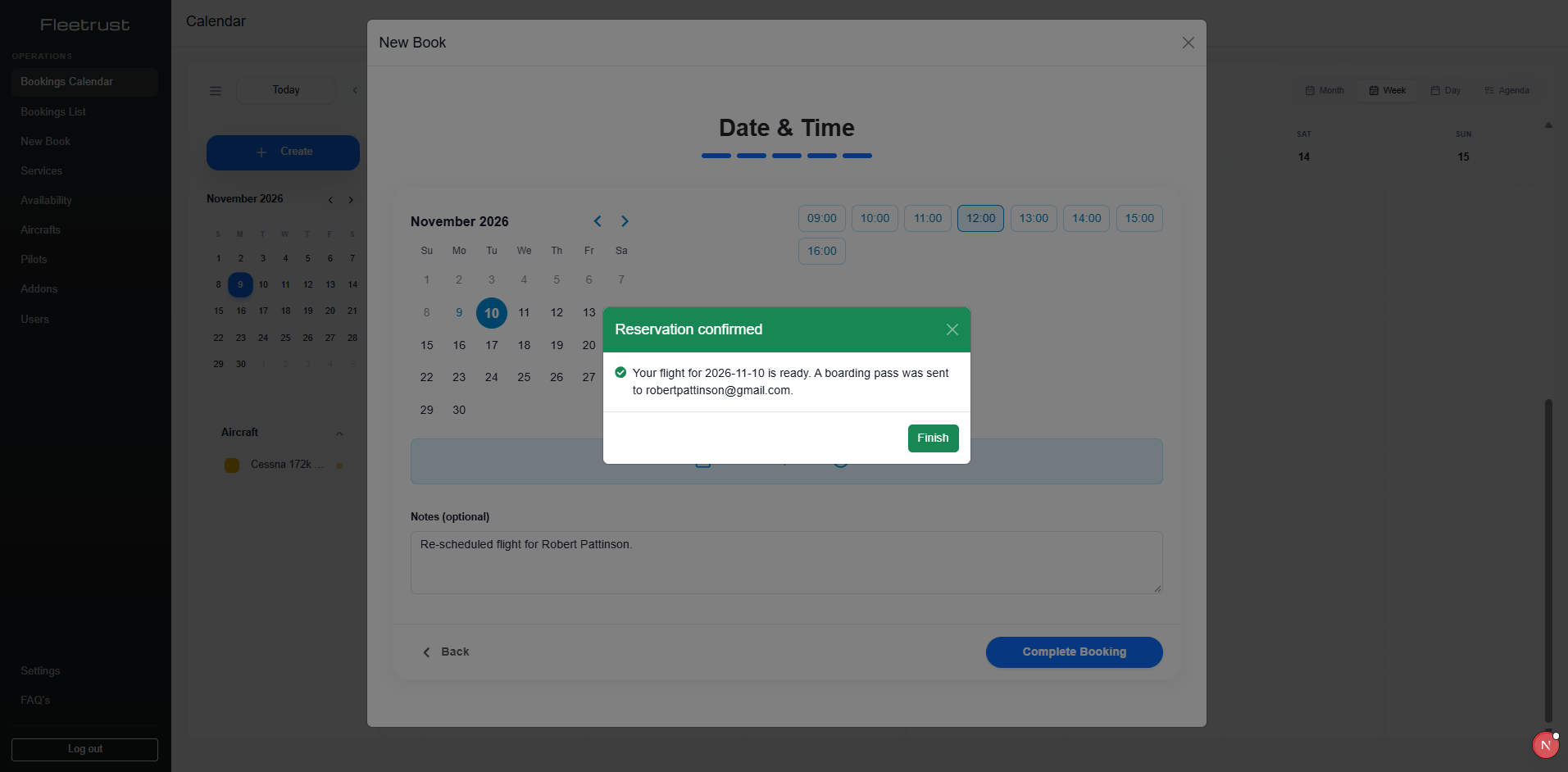
New booking
A few short steps: type, service, passengers, aircraft and pilot, date and time. When you confirm, the passenger receives the boarding pass by email.
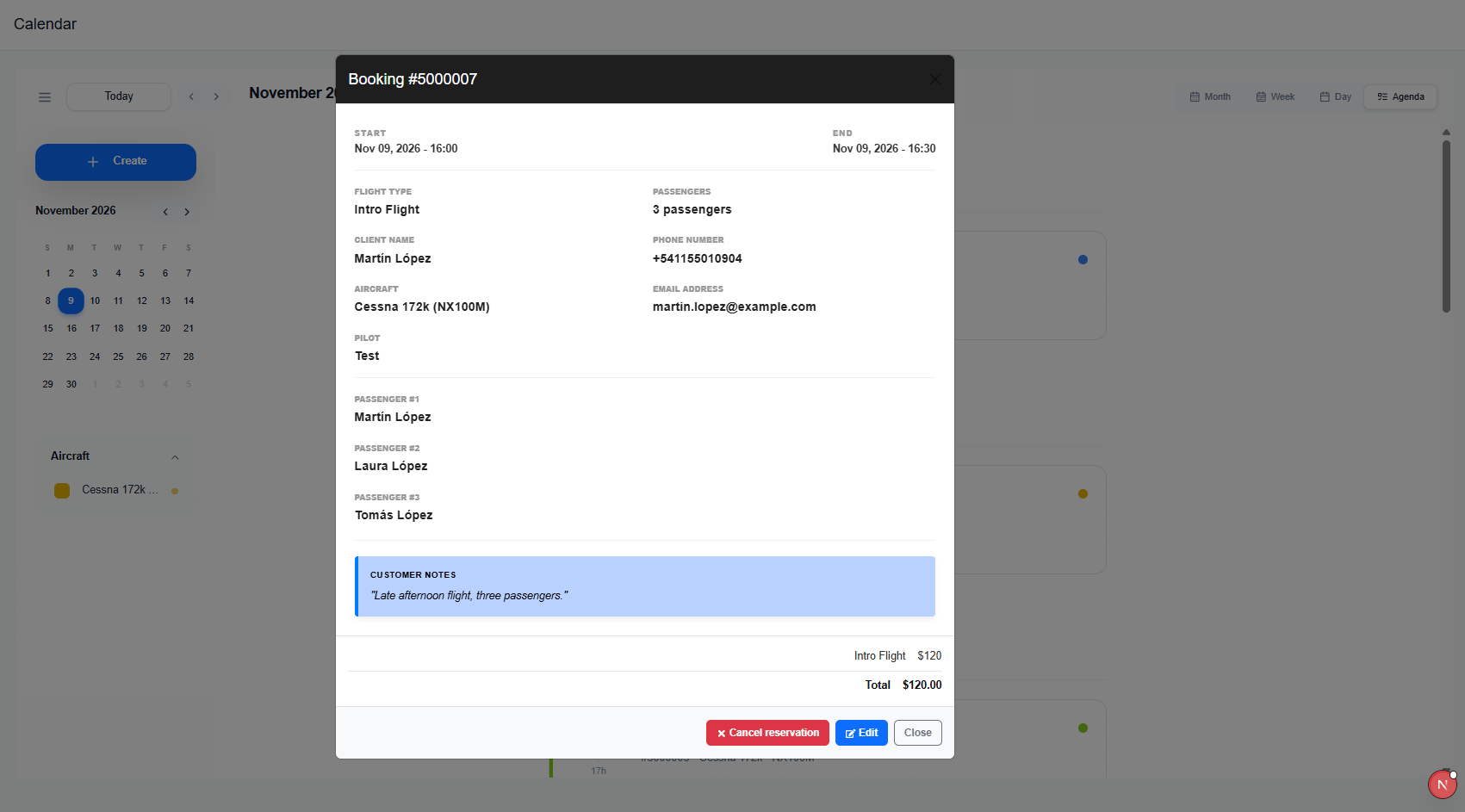
Booking detail
Dates, client, aircraft, pilot, passengers, notes and total in one view. Edit or cancel from there.
Also in the platform
Services and add-ons
Define your tours and the extras guests can add.
Aircraft and pilots
Keep your fleet and crew organized and assign them in a click.
Availability
Tell Fleetrust when you operate. Bookings only land in those hours.
Team roles
Admins manage everything. Staff handle daily operations.
Boarding pass and check-in
A pass with QR code for each passenger and a scanner for the gate.
Gallery, reviews and social
Show your flights, collect reviews and keep social media in one place.
03
New Features
We keep improving Fleetrust with what operators ask for.
Sign in with Google or biometrics New
Use your Google account, or your fingerprint or face on your phone.
Availability control New
Set your operating hours and keep bookings inside them.
Team management New
Invite your team and give each person the right access.
Guided setup tour New
A walk-through from an empty account to your first booking.
Android app New
Install the app and run your day from your phone.
Built-in help New
Answers to common questions, right inside the app.
04
Download
Install the Fleetrust Android app, or open it in your browser. Same account, same schedule.
Android APK, version 1.0.0
- 01Download the APK to your Android phone.
- 02Open the file and allow installation from this source if your phone asks.
- 03Open Fleetrust and sign in with Google or your email.
05
FAQ
Cannot find what you need? Use the contact form below.
What is Fleetrust?
A tool to manage your aircraft operations, organize your hangar and make decisions with valuable information.
Who is Fleetrust for?
Air tour operators and small fleets that take bookings for flights and want aircraft, pilots and guests organized in one place.
How do I get started?
Register with Google or your email. Add your services, aircraft, pilots and, if you want, add-ons. Then start taking bookings.
Does it work on my phone?
Yes. It works in your browser and there is also an Android app.
How do passengers get their boarding pass?
Each booking generates a boarding pass with a QR code for every passenger. You scan it at check-in.
Can my team have different permissions?
Yes. Admins manage users and settings, the rest of the team works on daily operations.
I forgot my password
On the sign-in page, open Forgot password, enter your email and follow the link we send. Choose a new password of at least 8 characters and sign in again.
How do I talk to someone?
Use the contact form below and we will reply by email.
06
Contact
Tell us a bit about your operation. We reply by email, usually within one business day.
Or write directly to hello@fleetrust.com